

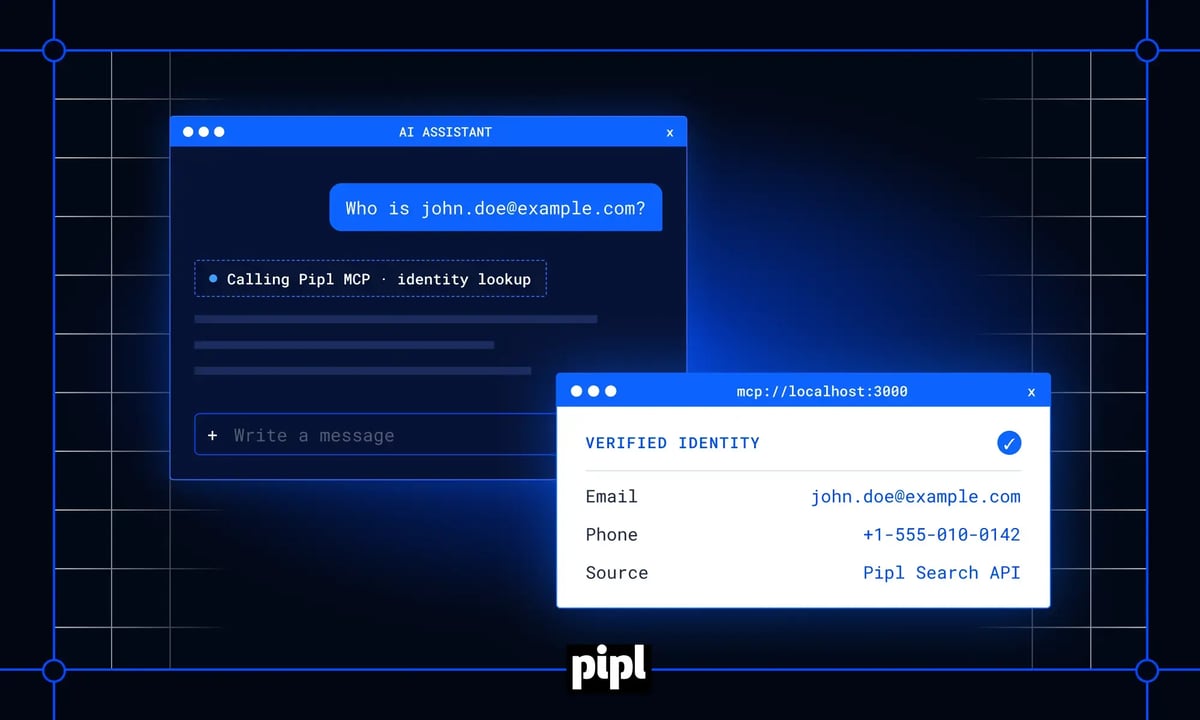


An identity lookup MCP server removes the tool-switching behind every manual identity check. Today, each check costs an analyst minutes: open a separate tool, run the search, read the profile, and copy findings into a case note. Across an onboarding or investigations queue, that time adds up fast. With the Pipl MCP Server, your AI assistant queries Pipl Search directly inside the conversation and returns real identity data in seconds.
This post covers four things: what the Model Context Protocol is, how to set up the Pipl MCP Server, what it can and can’t do, and how to run it securely.
What is an identity lookup MCP server?
An identity lookup MCP server is a connector that lets an AI assistant query an identity data source through the Model Context Protocol. The assistant doesn’t answer from its training data. It calls a lookup tool and receives verified attributes such as names, emails, phones, addresses, and employment history. Then it uses those attributes in its reply.
The Pipl MCP Server is Pipl’s version of this connector. It wraps the Pipl Search API, which queries Pipl’s global identity graph and returns a cross-referenced person profile. Once the server is connected, a question like “Who is behind john.doe@example.com?” or “Tell me about +1-650-555-0100” triggers a live lookup.
A quick primer on the Model Context Protocol
The Model Context Protocol (MCP) is an open standard for connecting AI assistants to external tools and data. Anthropic open-sourced MCP in late 2024 so that any tool could connect to AI assistants through one shared protocol, without building a custom integration for each assistant.
The pattern is simple. A tool publishes its capabilities through an MCP server, and an AI client finds and calls them. With calendar access, an assistant can check your schedule. With email access, it can read messages. With Pipl, it can resolve an identity. None of these require changes to the AI system itself.
Why connect identity data to an AI assistant?
When identity data is connected to the assistant, the evidence arrives in the same place the question was asked. Analysts stay in one interface. The assistant runs the lookup, formats the results, and writes the first-pass summary.
Three things change in practice:
- Speed. A lookup that took several minutes of tab-switching becomes a single prompt. Treat any time savings as illustrative until you measure them in your own queue.
- Consistency. The assistant runs the same lookup the same way every time, which makes findings easier to compare across cases.
- Context. Identity data lands in the same thread as the case notes, emails, or tickets the analyst is already reading.
The data itself doesn’t change. Pipl Search still returns raw identity attributes and relationships, not a fraud score or a verdict. That distinction matters for how you write prompts and review outputs, which the workflow section below covers.
How to set up the Pipl MCP Server
Setup follows the same pattern as most MCP connectors: get credentials, connect, then test.
- Get a Pipl Search API key. Existing customers can generate one from their account. New teams can request a demo to get access.
- Add the Pipl MCP Server to your AI client. Open your client’s connector or MCP settings and point it at the Pipl MCP Server endpoint from your onboarding materials.
- Store your key securely. Pass it as an environment variable or through a secrets manager. Never put it in a config file that ends up in version control.
- Run a test lookup. Ask the assistant to look up a known test email and confirm that a profile comes back.
Choosing a transport
MCP defines two standard transports:
- stdio. The client launches the server as a local process. This suits a single analyst’s desktop.
- Streamable HTTP. The server runs on its own and serves clients over HTTPS. This suits a team deployment behind your own authentication.
Optional configuration
Most teams can start with the defaults. Larger deployments usually tune 4 settings:
|
Setting |
What it controls |
When to change it |
|
Rate limit |
Lookups per minute |
Match it to your API plan and team size |
|
Cache TTL |
How long results are reused |
Raise it to cut repeat lookups and cost |
|
Log level |
Detail in server logs |
Use debug while testing, then lower it |
|
Metrics port |
Where monitoring data is exposed |
Set it when wiring up dashboards |
What can the Pipl MCP Server do?
The server exposes Pipl Search features as tools the assistant can call on its own. In plain terms, it can:
- Search by email address and return a full profile
- Search by phone number and return a full profile
- Search by name plus location and return a list of possible matches
- Run a batch of lookups from a list of emails
- Pull a single field, such as employment history, from a profile it already found
Pipl Search resolves one person at a time. It isn’t a directory, so it won’t return lists of people by job title or location alone.
What it doesn’t cover
The MCP Server only enriches identities. Two related products sit outside it:
- Search Insights. Pipl’s browser-based investigation tool is still the right place for complex, visual investigations.
- Calibrated risk scores. If you need a score with reasoning attached, use Pipl Trust, a separate product.
Two operational limits are worth knowing up front:
- Rate limits. If you go over your rate limit, the server queues requests and tells the assistant the lookup is pending.
- Match confidence. Every result includes a confidence level. Prompt your assistant to point out low-confidence matches instead of treating them as confirmed.
Identity lookups in practice: 3 conversations
These examples show how an analyst might use the server day to day. All names, emails, and companies are made up.
KYC onboarding check
An analyst types: “I need to verify john.doe@example.com for onboarding. Can you look them up?”
The assistant runs a lookup by email, receives a profile, and replies: “I found a match for John Michael Doe. The profile lists employment at Acme Corp as a senior engineer, a Stanford MS in computer science, and multiple Palo Alto addresses spanning about 8 years. That’s a long, consistent digital history. Want me to add this to the case notes?”
The analyst gets the evidence in seconds and makes the onboarding call. For more on this workflow, see how Pipl supports account opening.
Checking a claimed occupation
An analyst asks: “A customer says they’re a physician at City Hospital. Can you check that against their email?”
The assistant replies: “The matched profile shows employment as a software engineer at TechCorp, with no record of City Hospital. That’s an inconsistency worth reviewing before you proceed.”
A mismatch isn’t proof of fraud. People change jobs, and records lag behind. The value is that the inconsistency shows up right away, and the analyst decides where to dig.
Spotting connections across accounts
An analyst pastes 5 email addresses from recent signups and asks: “Are any of these connected?”
The assistant looks up each one and replies: “3 of the 5 resolve to profiles that share a phone number and a mailing address. The other 2 look unrelated.”
Supposedly separate accounts that share identifiers are a classic early signal in fraud investigations. Finding those links is exactly what an identity graph is built to expose.
From question to case note: a full workflow
Here’s how one request plays out from start to finish for a compliance analyst reviewing a business account application.
- The ask. “john.doe@example.com applied for a business account. Pull their identity profile and flag anything that needs review.”
- The lookup. The assistant runs an email search through the MCP Server.
- The data. The profile shows:
- Name: John Michael Doe
- Employment: a large tech company from 2015 to 2022, now founder of TechStartup Inc
- Education: a Stanford degree
- Address: San Francisco
- The summary. The assistant reports: “Profile resolved with a consistent employment and address history. Nothing in the identity data conflicts with the application. Sanctions screening isn’t part of this lookup, so run that through your usual process.”
- The decision. The analyst reviews the evidence, completes the remaining checks, and approves or escalates.
Notice what the assistant doesn’t do. It doesn’t assign a risk rating or recommend approval. Pipl Search returns identity evidence, and the decision stays with your team. That keeps the outcome explainable and defensible in an audit. Pipl applies the same principle to manual fraud review.
Combining Pipl with other MCP servers
MCP gets more useful as you connect more servers. A typical investigations setup might include:
- The Pipl MCP Server for identity data
- A Slack connector for messages
- A Google Workspace connector for documents
- A custom MCP server for your internal fraud list
With all four connected, an analyst could ask: “Someone messaged us claiming to be the CEO of TechCorp. Verify who they are and check whether we’ve dealt with them before.”
The assistant works through each source in turn. It reads the message in Slack, resolves the sender’s identity through Pipl, checks the internal fraud list, and searches shared documents for past correspondence. Its reply might read: “The sender’s email resolves to Michael Rodriguez, whose profile lists CEO of TechCorp. No internal fraud flags. I found 3 earlier emails from this address over the past 6 months, all routine business discussions.”
The assistant becomes the single interface, and the analyst stops jumping between apps.
Keeping your MCP deployment secure
Treat your Pipl API key like any production credential. Treat the MCP Server like any service that handles personal data.
Lock down access
- Protect the key. Store it in a secrets manager or environment variable. Rotate it right away if you suspect it’s been exposed.
- Keep the server private. Run a remote deployment inside a private network, and require authentication for every client, such as OAuth, API tokens, or mTLS.
- Encrypt traffic. Use TLS between the assistant and the server.
- Follow the spec’s guidance. The MCP security best practices cover risks like token passthrough and confused-deputy attacks. These apply to any server that sits in front of a third-party API.
Mind where identity data goes
Once your assistant reads a profile, that data passes through your AI provider. Before running sensitive investigations, check your provider’s policies on data retention and model training. If they don’t fit, choose an enterprise plan or a self-hosted model. Be open with the people you verify, too. Keep your use of identity data in line with your own privacy commitments and Pipl’s privacy resources.
Keep an audit trail
Log every lookup: who searched for what, and when. In regulated industries this isn’t optional. US banks, for example, must keep records of the information used to verify a customer’s identity under the Customer Identification Program rule. Store logs securely and set retention periods to match the rules that apply to you.
Monitoring cost and performance
A healthy deployment tracks 5 numbers:
- Lookups per hour
- Average latency
- Error rate
- Cache hit rate
- Rate-limit usage
AWS, Google Cloud, and Azure all offer monitoring tools that can chart these. Use the numbers to tune your setup:
- High latency? Turn on caching or raise the cache TTL.
- Error spikes? Check the API key and your rate limits first.
- Cache hit rate under 50%? Raise the TTL or prefetch common lookups.
- Rising spend? Each lookup is a billable API call. Set a daily spend alert, and remove duplicate lookups so the assistant doesn’t search the same email twice in one conversation.
Bring identity evidence into the tools your team already uses
The Pipl MCP Server puts 20+ years of identity data, refreshed with 2B+ daily updates, one prompt away from your analysts. Research that used to mean switching tools and copying notes now happens in the conversation where the work gets done. Your team still owns every decision.
Ready to connect Pipl Search to your AI assistant? Request a demo.